
Resources / Quotas & Multilingual
Quotas & Multilingual
Set demographic and behavioral quotas to keep your sample balanced, and publish surveys in multiple languages so every respondent can answer in the language they’re most comfortable in.
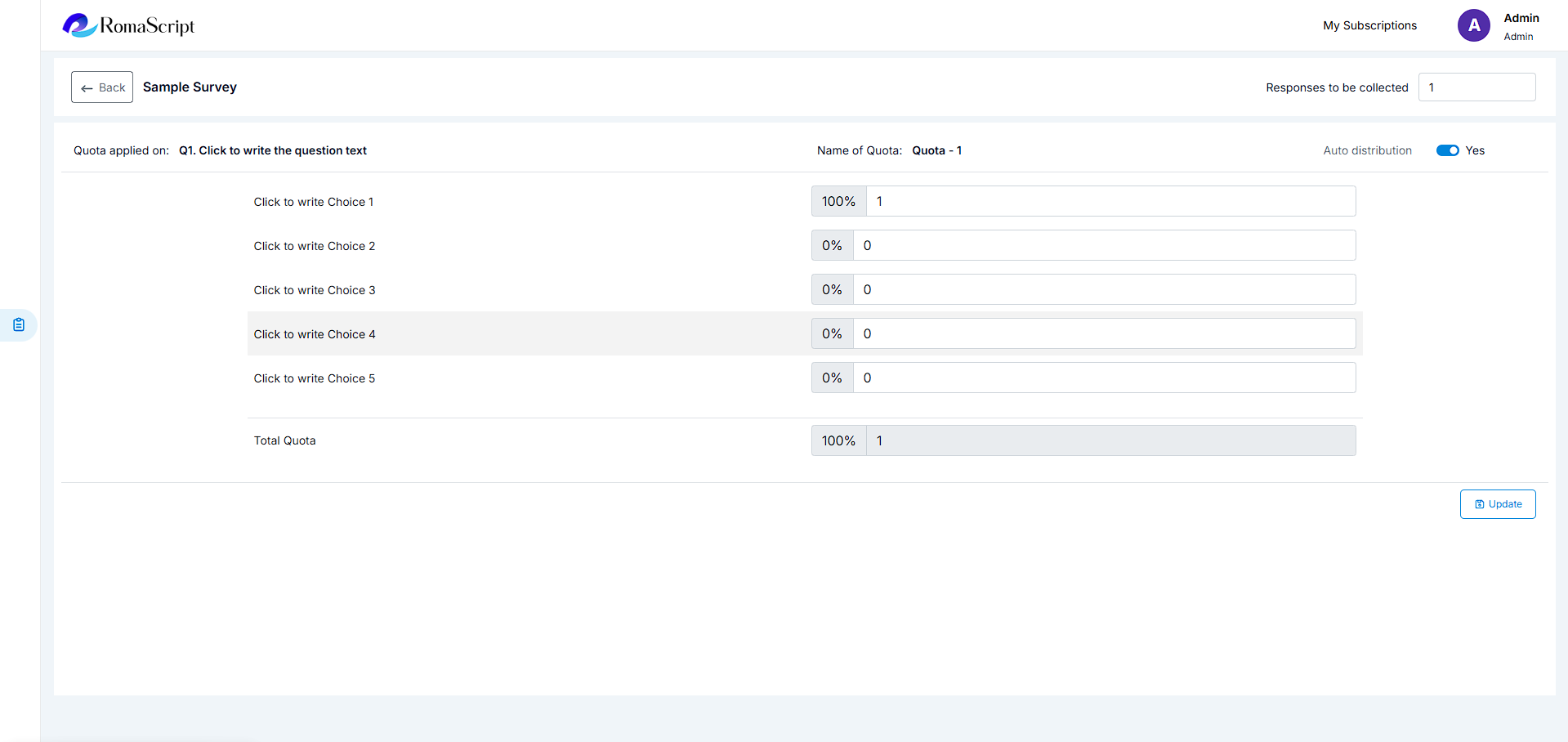
Quota Management
Control your sample composition with flexible quota settings. Ensure you collect the right number of responses from each demographic segment or target group.
Setting Up Quotas
Define quotas based on any question response:
- Demographic quotas (age, gender, location)
- Behavioral quotas (product usage, purchase frequency)
- Nested quotas (e.g., age within gender)
- Interlocking quotas across multiple variables
Quota Monitoring
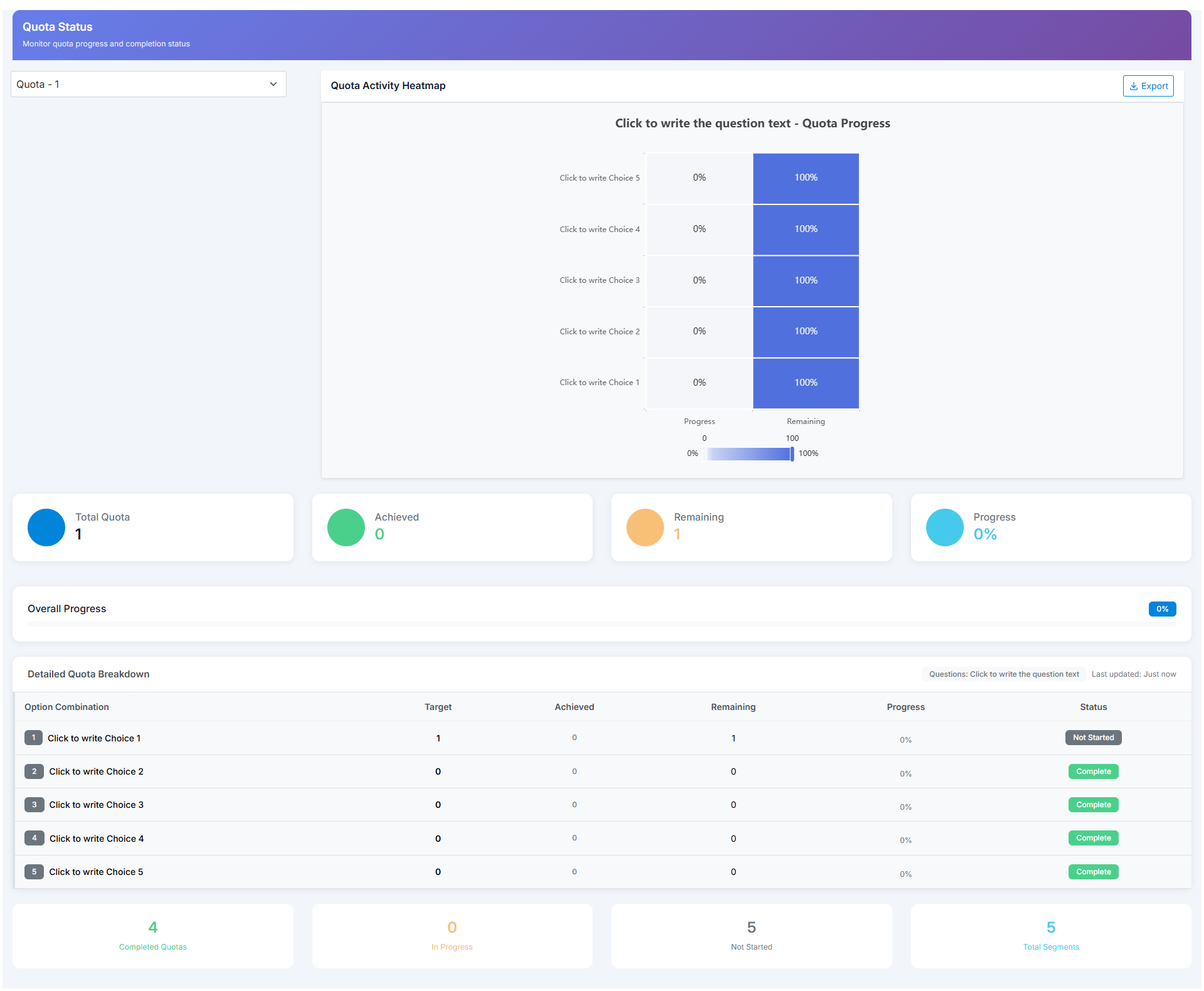
Track quota progress in real-time:
- Visual quota fill indicators
- Automatic survey closure when quotas are met
- Soft quotas (warning) vs. hard quotas (automatic termination)
- Quota balancing recommendations
Multilingual Support
Reach diverse audiences with RomaScript’s comprehensive multilingual capabilities. Create surveys in multiple languages and let respondents choose their preferred language.
Language Setup
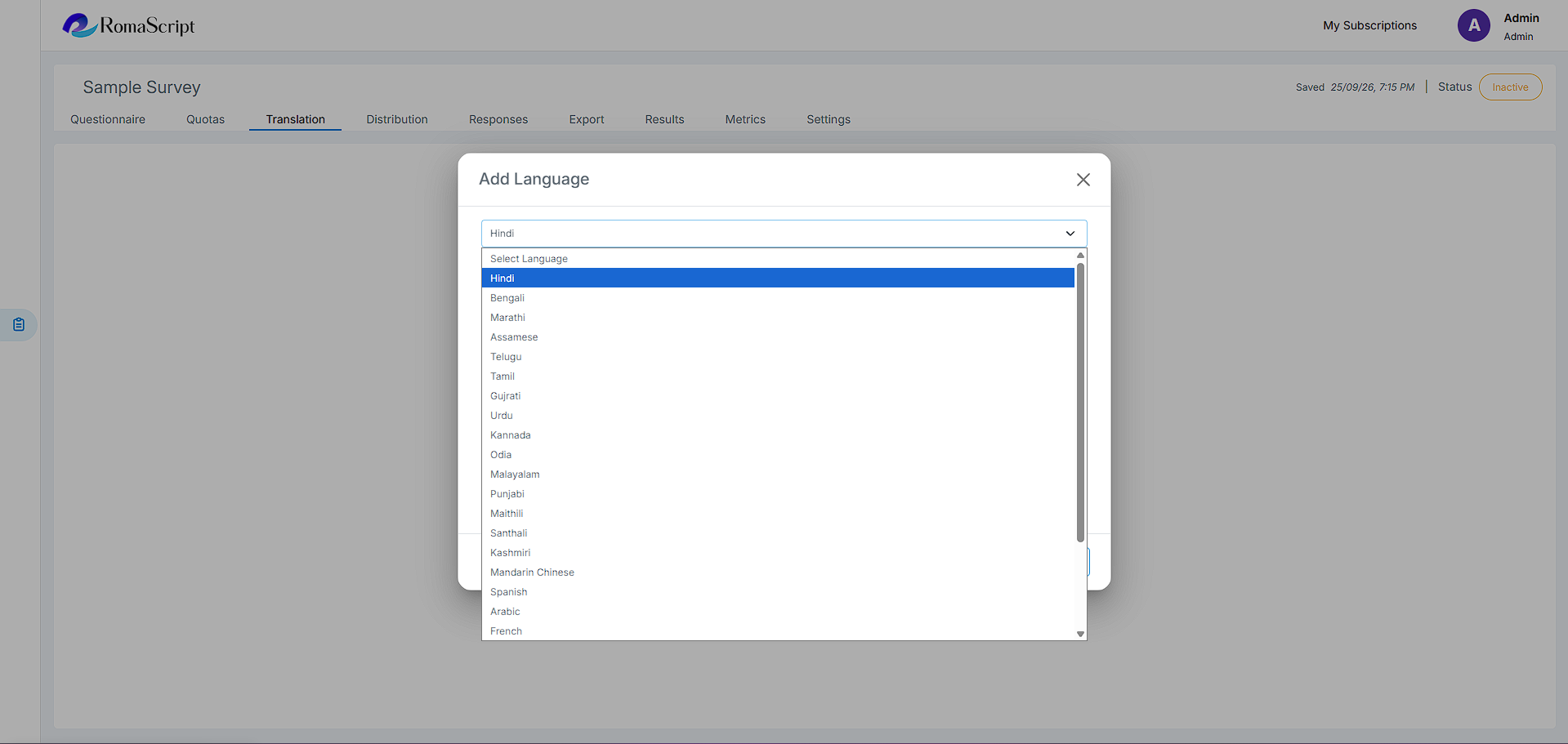
Add multiple language versions to a single survey:
- Select ‘Add Language’ from survey settings
- Choose from supported languages
- Translate question text and response options
- Preview each language version before publishing
Language Features
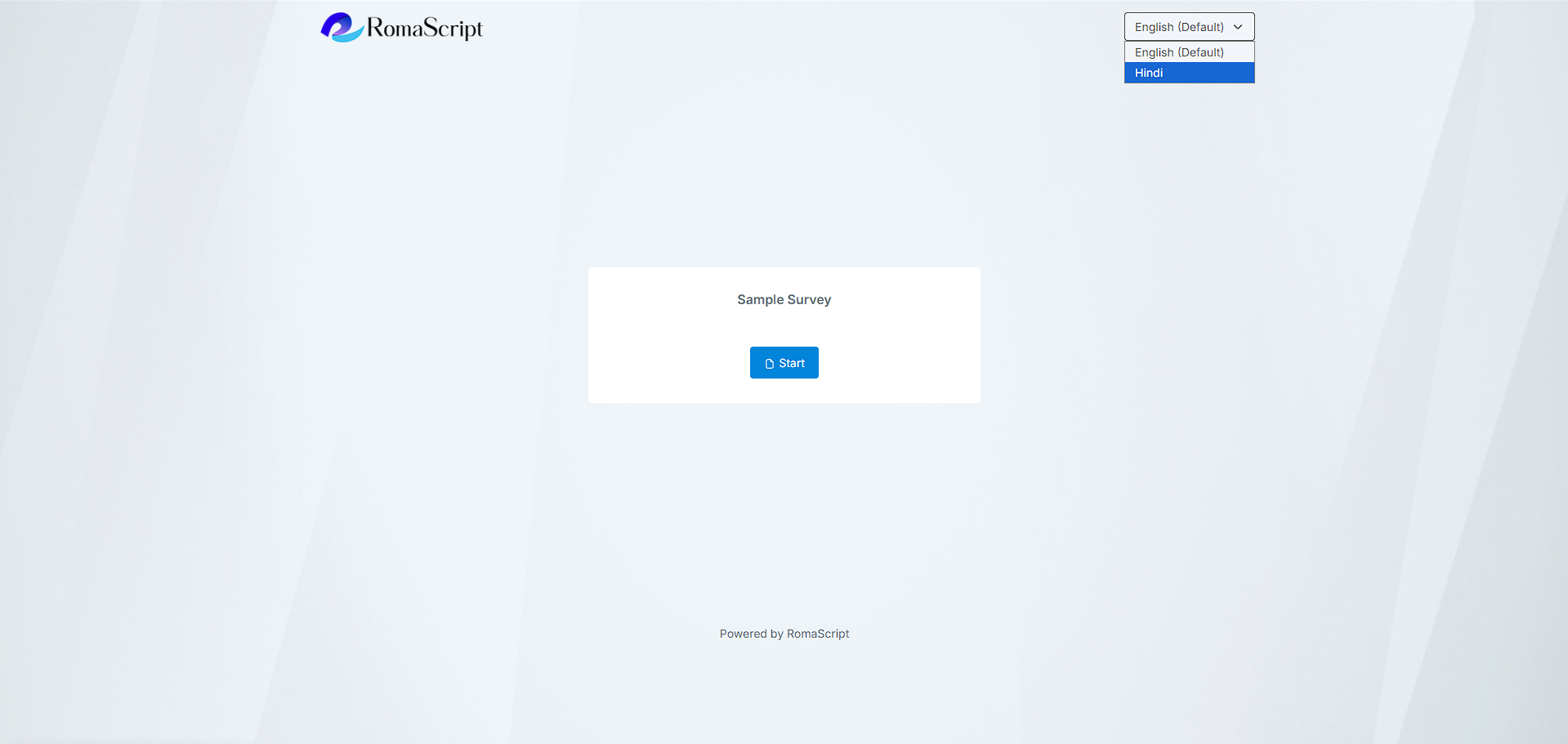
- Language selector for respondents to switch languages
- Unicode support for all special characters
- Consistent data structure across all language versions
Best Practices
- Test each language version thoroughly before launch
- Ensure cultural appropriateness of questions across languages
- Use native speakers for translations
- Account for text length differences when designing layouts