Distribution & Export
Share surveys through the right channel for your audience, track responses as they arrive, and export the finished dataset in the format your analysis tools expect.
Survey Distribution
RomaScript provides multiple distribution methods to reach your target audience efficiently. Share your surveys through various channels and track response rates in real-time.
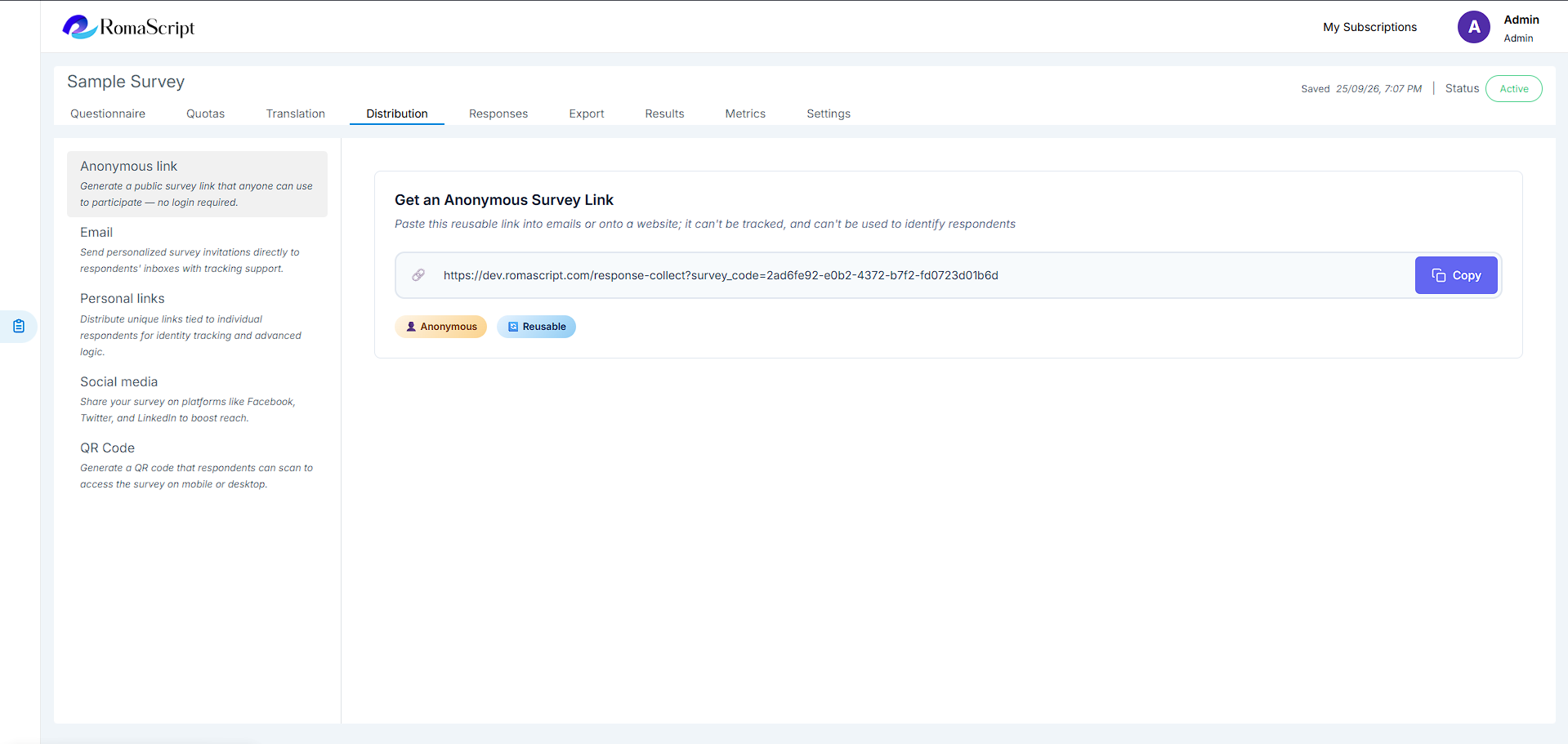
Direct Link
Generate a unique survey link that can be shared anywhere.
- Copy and paste link into emails, messages, or social media
- Generate QR codes for offline distribution
- Track unique link performance
Email Distribution
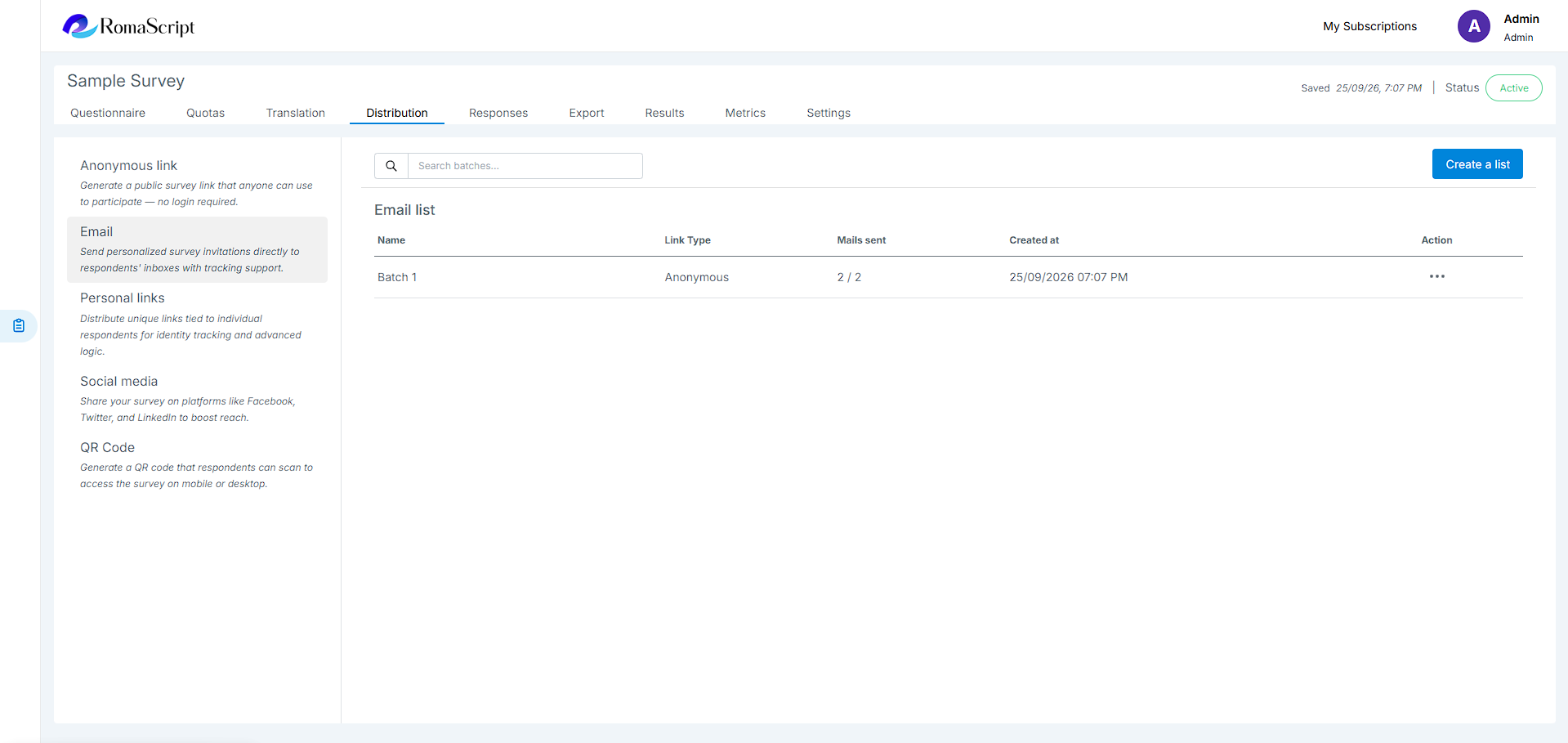
Send survey invitations directly through email with customizable templates.
Embed Options
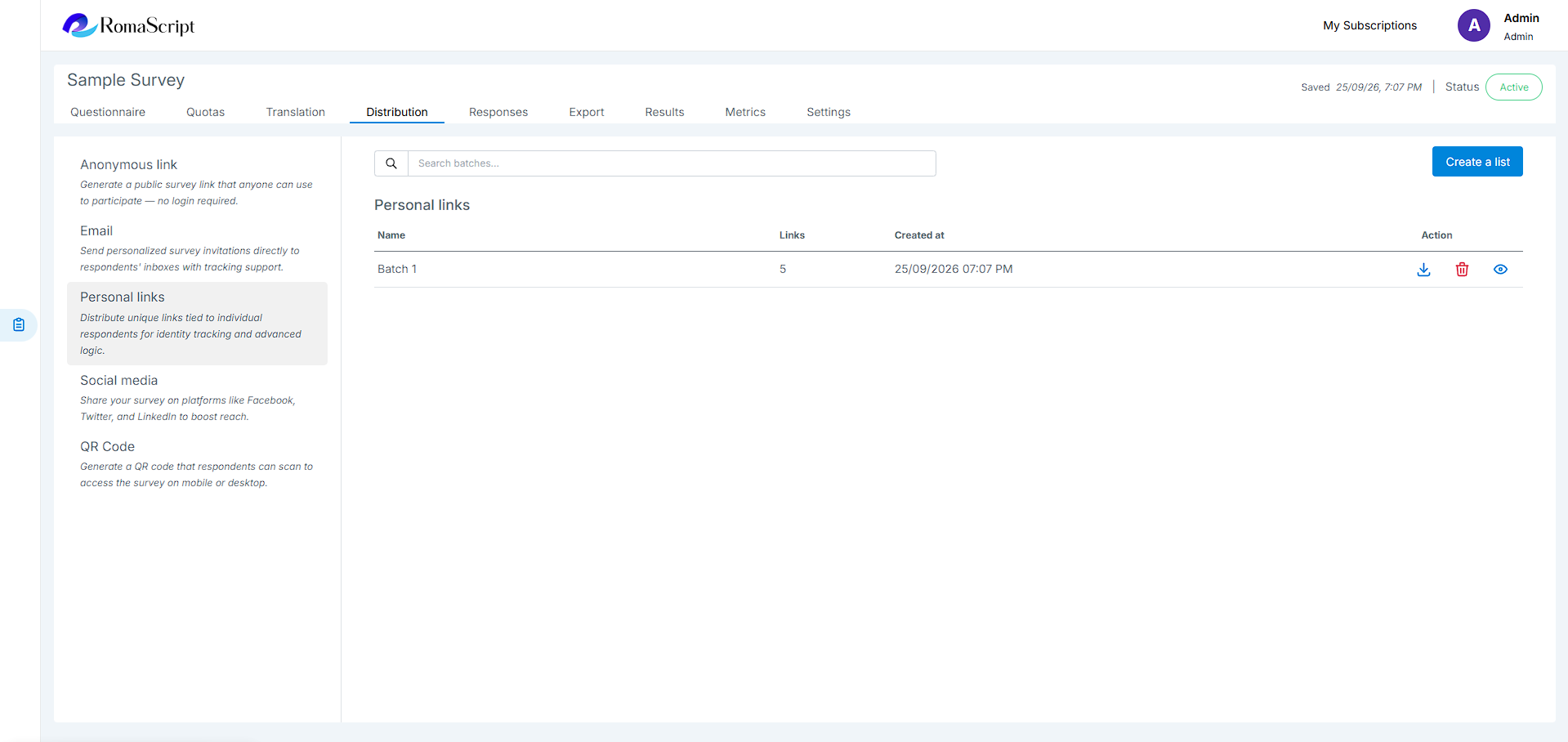
Embed surveys directly into your website or application using embed codes.
Response Tracking
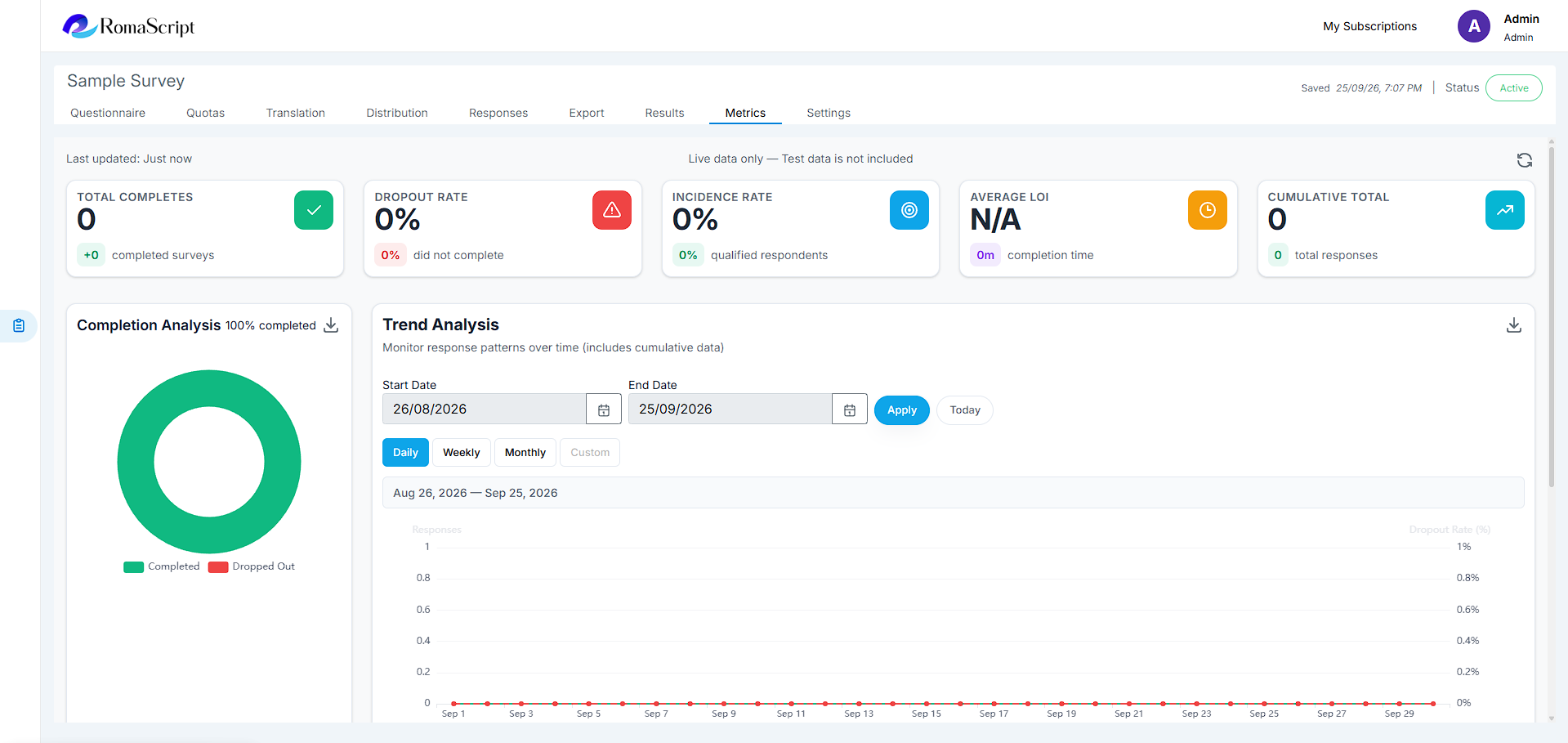
Monitor survey performance with real-time analytics:
- Live response count
- Completion rate tracking
- Drop-off analysis by question
- Source attribution for multi-channel campaigns
Data Export
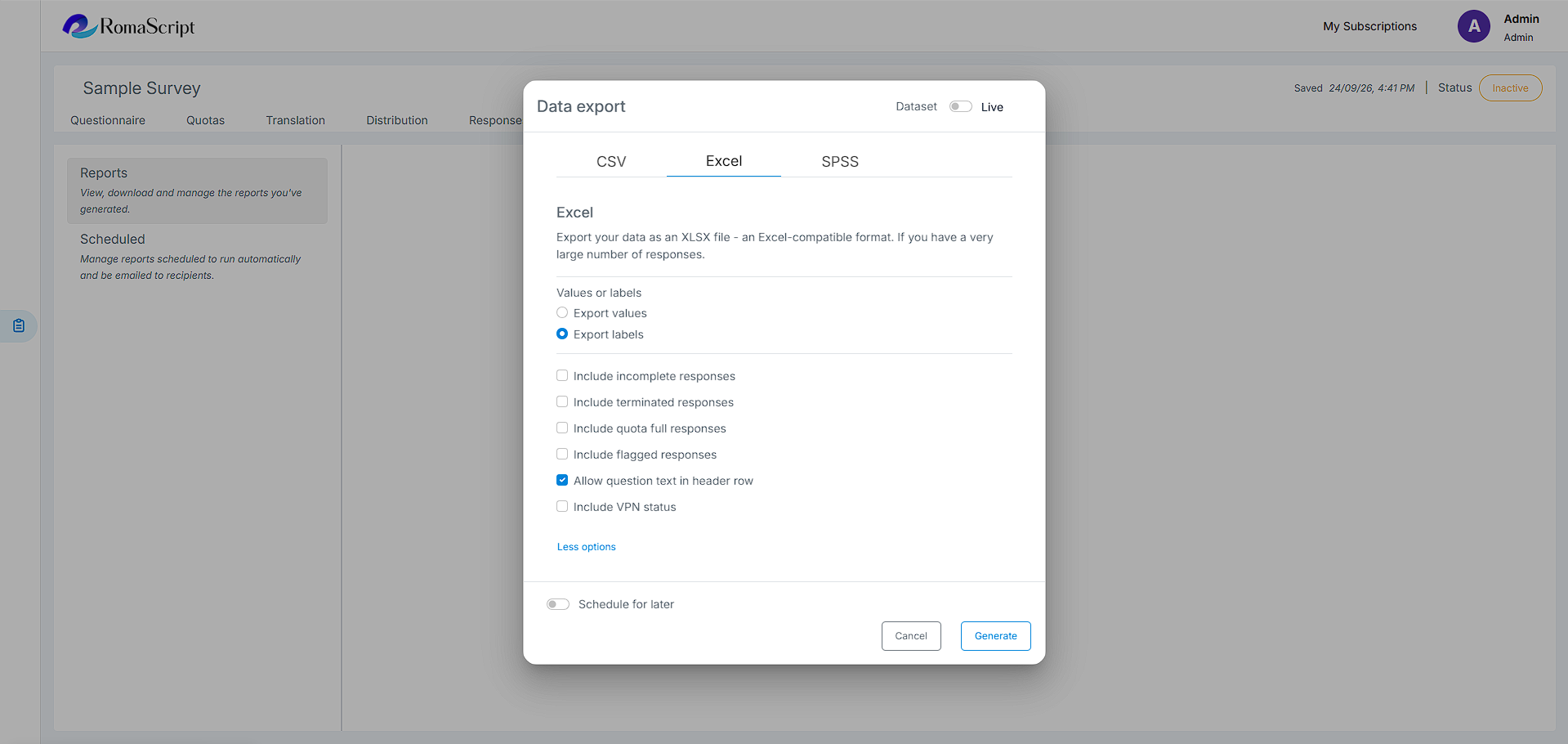
Export your survey data in multiple formats for analysis, reporting, and integration with other tools.
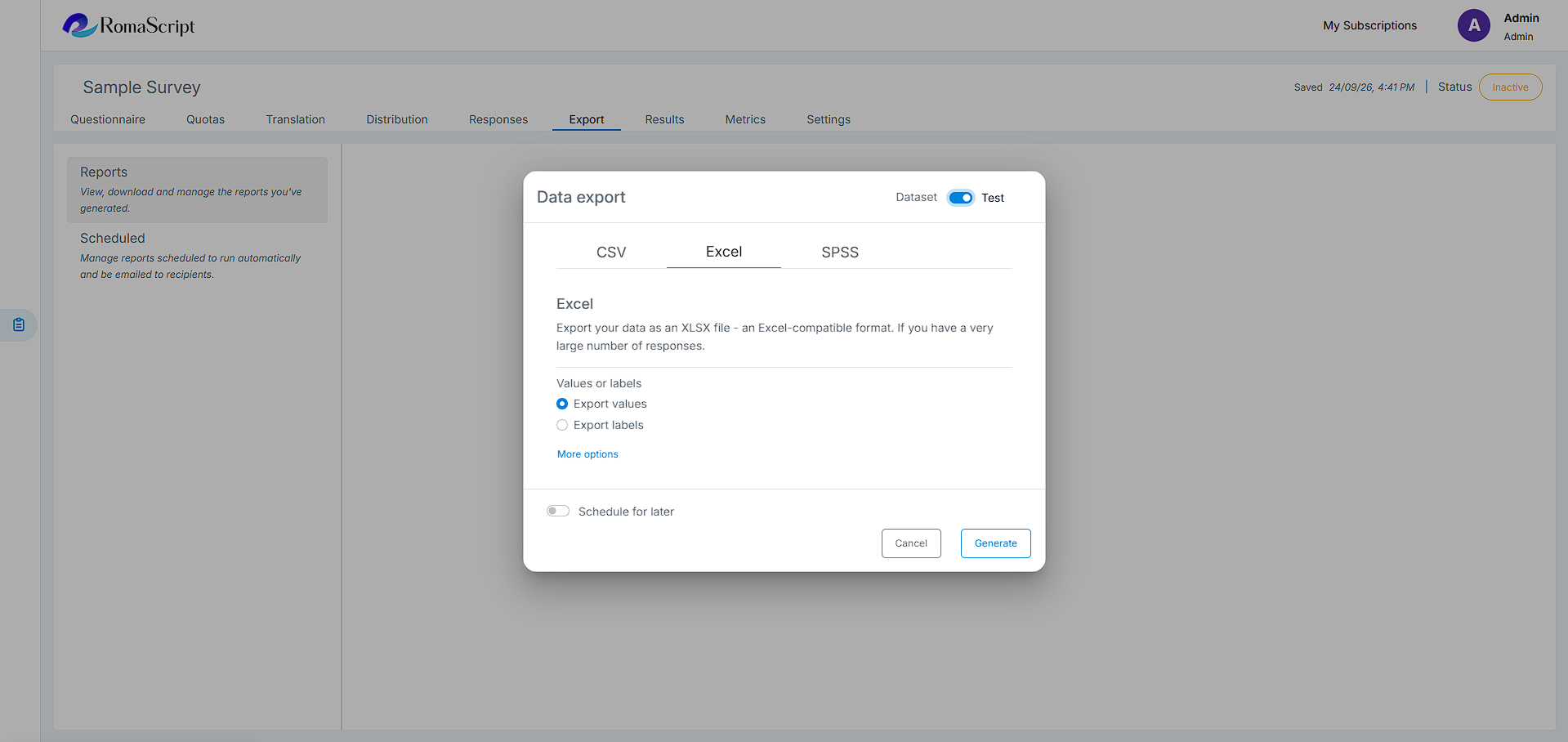
1. Excel (XLSX)
Export data to Microsoft Excel format with formatted tables and headers.
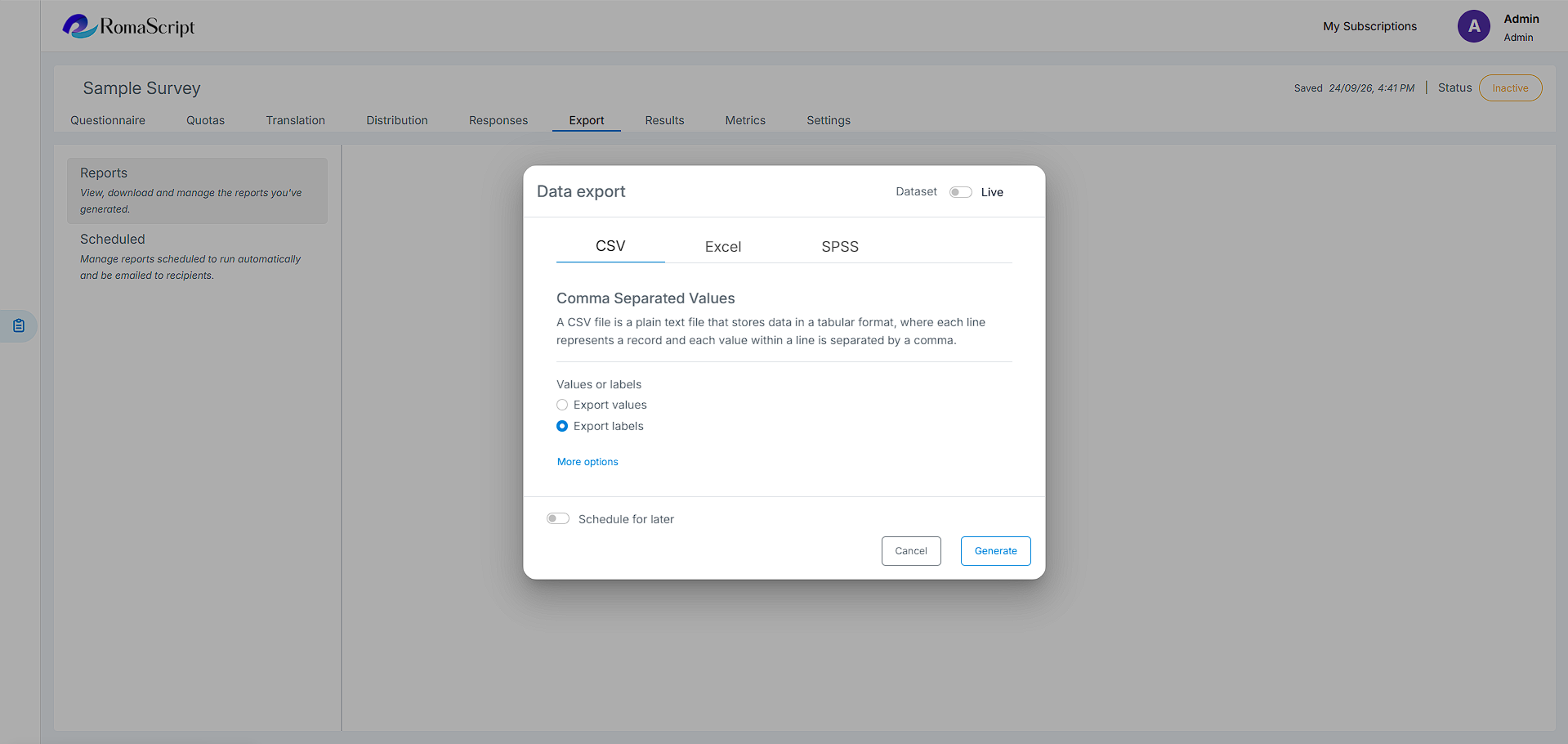
2. CSV
Download data in comma-separated values format for universal compatibility.
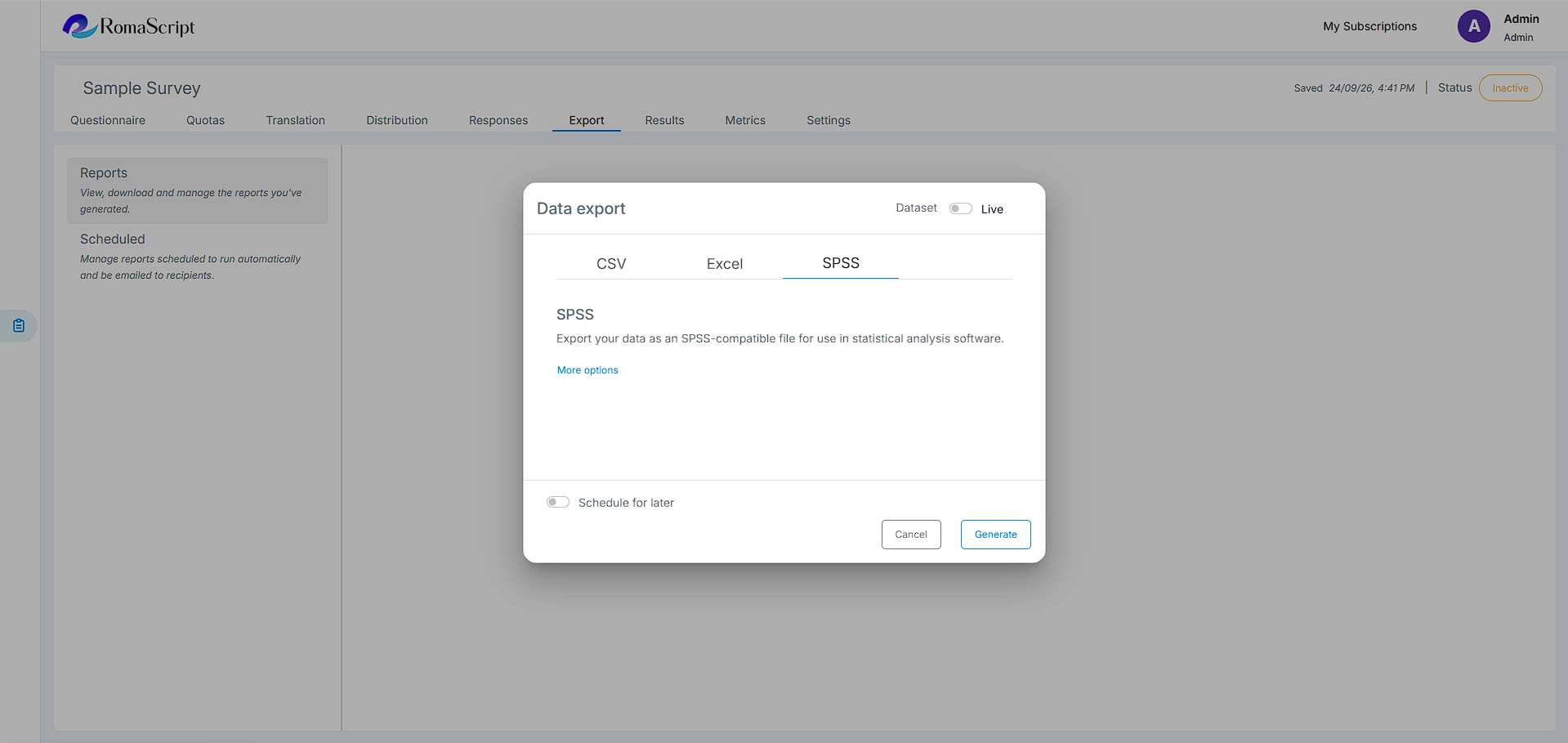
3. SPSS
Export data with SPSS syntax file for statistical analysis in .sav format.
Export Options
- Export Live data or Test data separately
- Apply data labels and value