
Support & Billing
Reach the in-house scripting team, explore learning resources, and manage or upgrade your RomaScript subscription.
12. Support & Resources
We’re here to help you succeed with RomaScript. Our dedicated support team is ready to assist you with any questions or challenges.
12.1.1 In-House Survey Scripting Team
Our expert team of survey programmers is available to help you with complex survey setups, custom logic implementation, and troubleshooting.
Contact methods
- Email support: support@researchroma.com
- Phone support for enterprise customers
- Dedicated account manager for all subscriptions
12.2 Learning Resources
- Video tutorials covering all features
- Best practices guides for survey design
- Knowledge base with searchable articles
- Webinars and live training sessions
12.3 Feature Requests
We value your feedback! Submit feature requests and vote on upcoming features through our product roadmap portal.
13. Managing Your Subscription & Upgrading Your Plan
RomaScript offers flexible subscription plans based on response usage. You can easily purchase or upgrade your plan by following the steps below.
To upgrade your subscription
- Register – create your RomaScript account if you are a new user
- Log In – access your account using your registered credentials
- Navigate to My Packages – open the ‘Home’ page and select My Packages to view your current plan and available options
- Upgrade Plan – choose your preferred package and follow the payment process to complete the upgrade
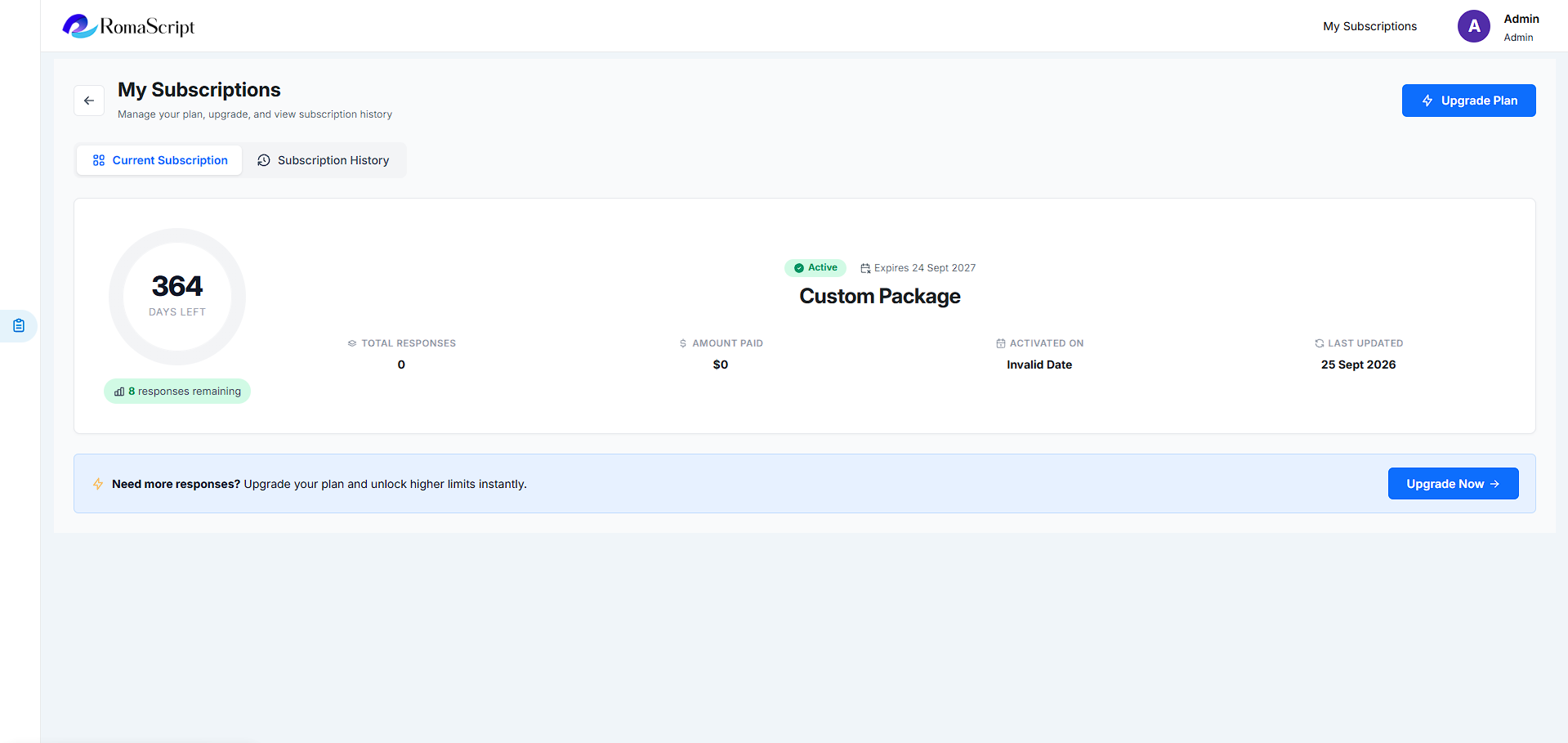
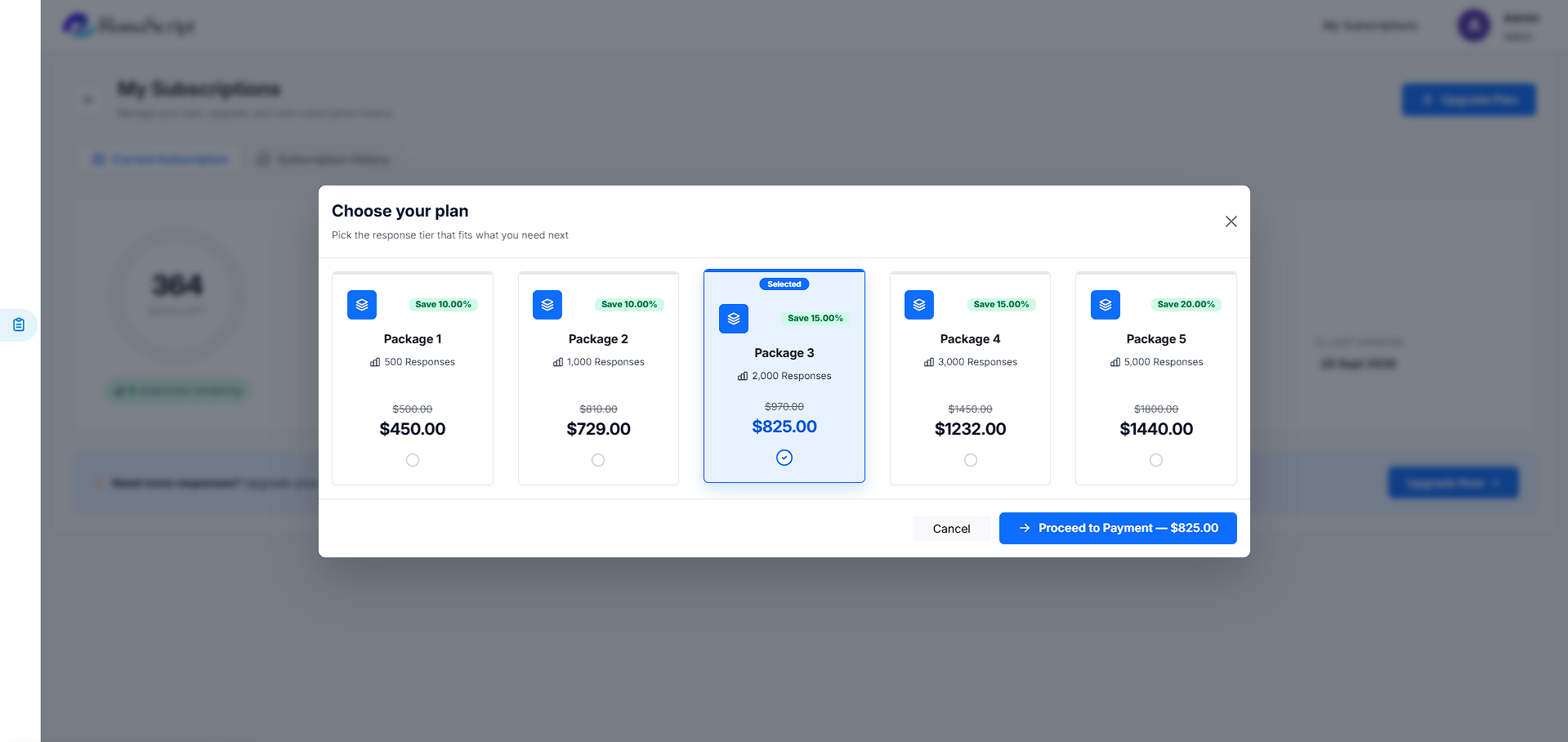
Once the payment is successfully processed, your selected plan will be activated immediately, and your response count will be updated accordingly.
Thank you for choosing RomaScript
We’re committed to making your survey research efficient, insightful, and successful.